Your app, terminal and project context inside the same tab
Pier brings a real terminal panel into localhost pages and routes each session to the correct repo based on hostname. Built for local-first development and agent-heavy workflows.
 Download for Chrome
 View on GitHub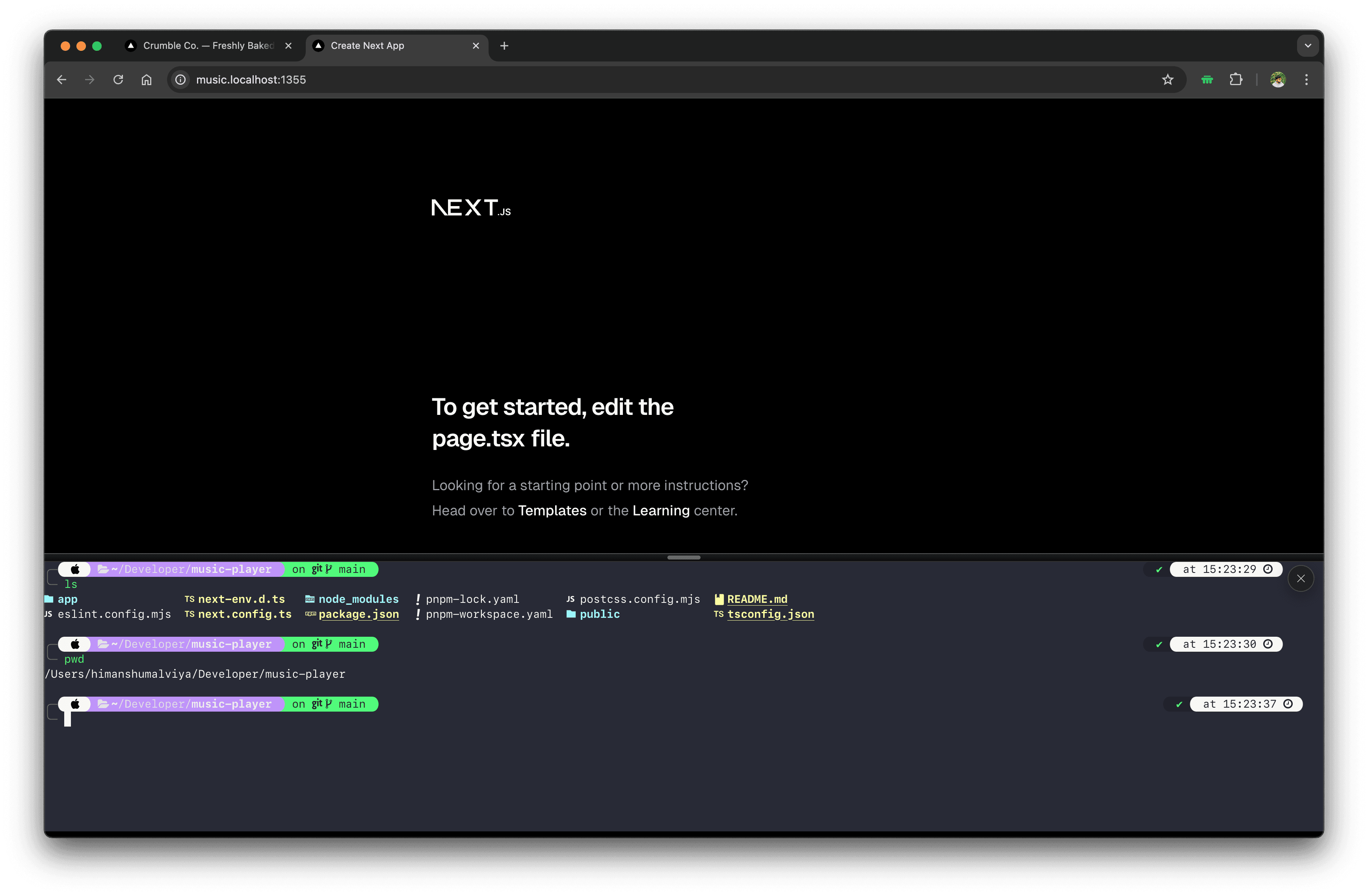
The Problem
Context switching is expensive when building in parallel
When you run multiple apps or agents at once, your workflow fragments across windows and tabs.
Too many terminal windows
Each project needs its own terminal. Switching between them breaks your flow.
Too many browser tabs
Your app, docs, and tools live in separate tabs with no shared context.
Too many repos to track
Mapping the right terminal to the right codebase is manual and error-prone.
In Action
Everything in one tab
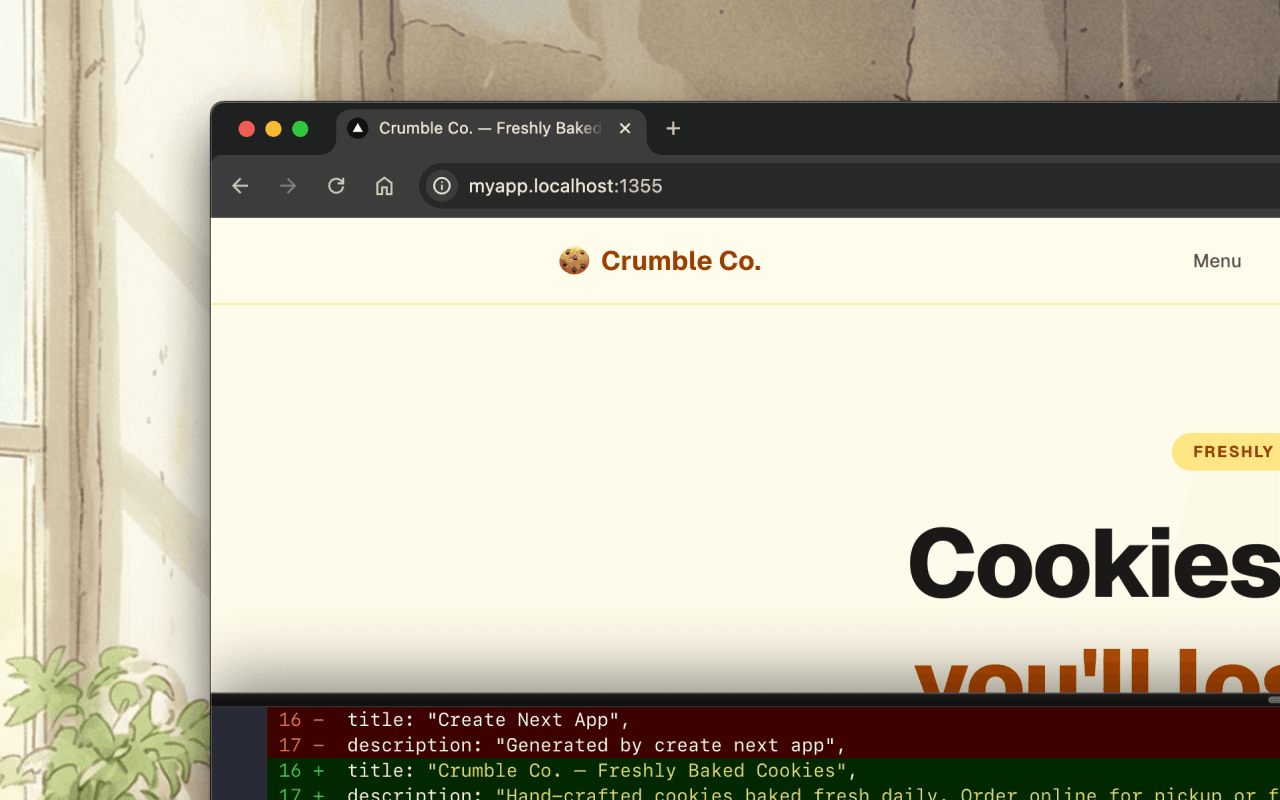
Your app and terminal, side by side
Each project runs at its own *.localhost subdomain. Press Ctrl+` to toggle a full PTY terminal right inside your app — no window switching needed.
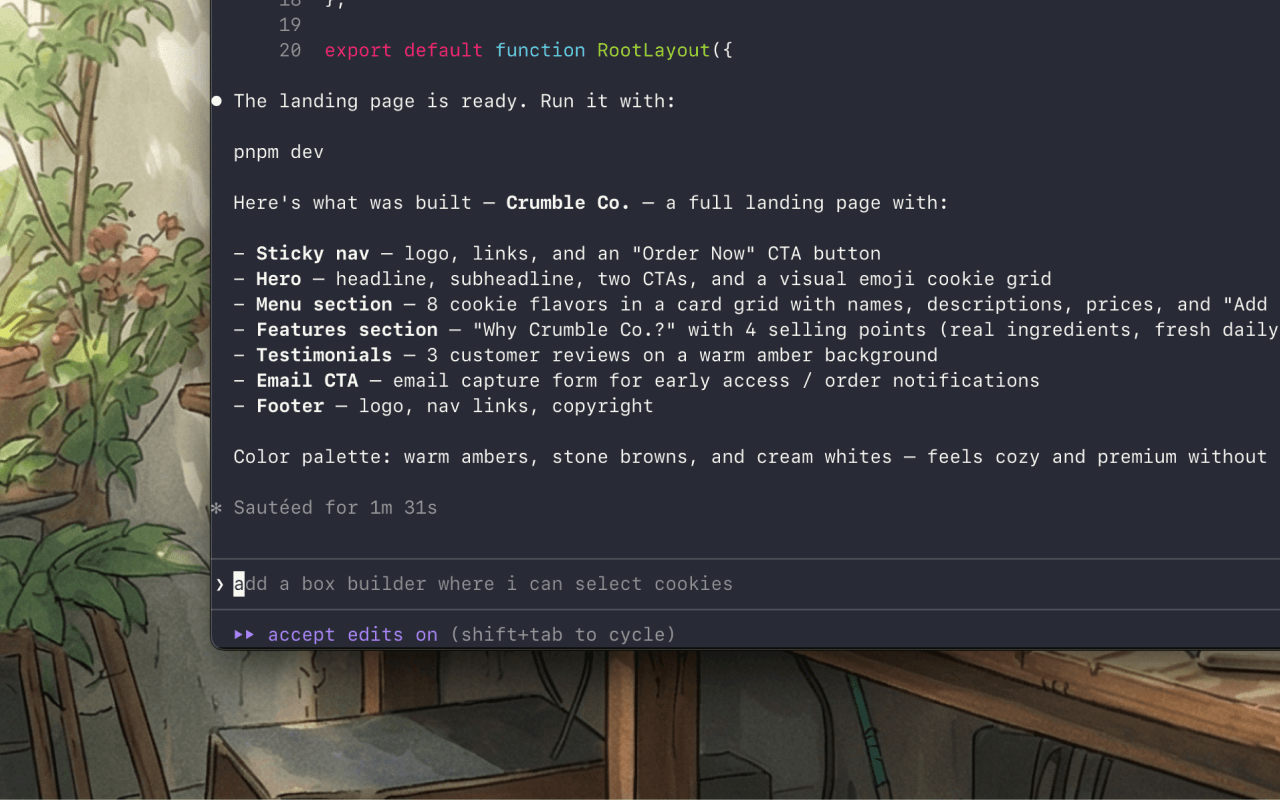
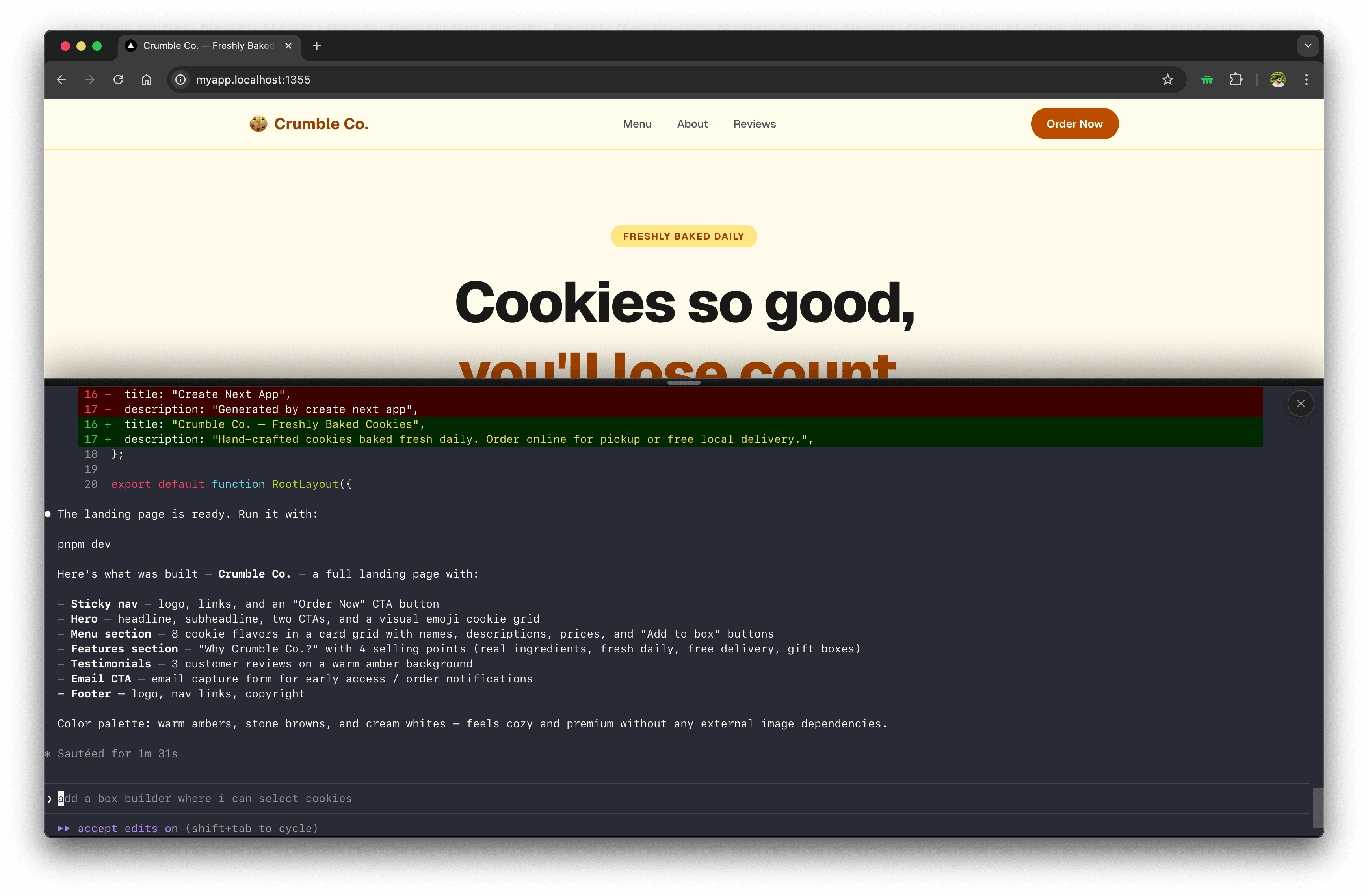
Agent output, right in the page
Watch your AI agent work in real time without switching windows. The in-page shell streams output directly from your repo — keep your eyes on the app while agents run.
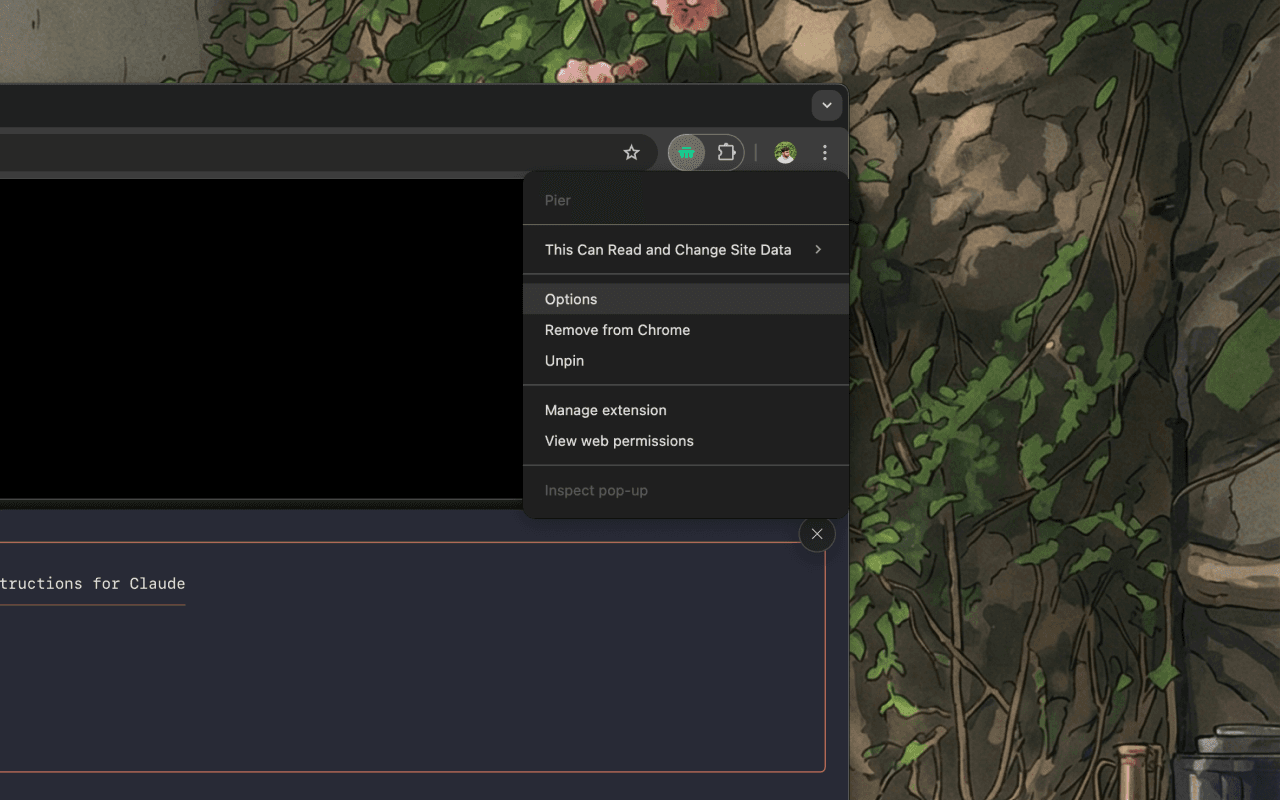
Install once, activate everywhere
Load the Chrome extension once via Developer mode. It activates automatically on any *.localhost page — no per-project configuration needed.
How It Works
One command. One tab. One terminal.
Register your project
Run pier myapp pnpm dev to wrap portless and record hostname → project path.
Bridge starts automatically
Pier ensures a local WebSocket bridge is running on 127.0.0.1. No cloud required.
Extension activates on localhost
The Chrome extension detects your *.localhost page and opens a WebSocket to the bridge.
Session routed to your repo
The bridge maps the hostname back to your codebase directory and opens a shell session.
Terminal renders inside your app
An xterm.js panel appears in your page. Press Ctrl+` to toggle it at any time.
Context stays isolated
Each project gets isolated cookies and localStorage via portless — no port collisions.
Get Started
Up and running in three commands
Install the CLI, run setup once, and you're ready. Then wrap any dev command with pier.
npm install -g @malviyahimanshu/pierpier setuppier myapp pnpm devRequires Node.js 20+ · Chrome or Chromium (MV3)